II. The Lean Marketing Stack
Overview
What is the Lean Marketing Stack?
The Lean Marketing Stack is the base infrastructure you’ll need to market your product. It includes three fundamental tools:
- Your website
- Basic analytics
- Your email list
Why are we setting this up now? First: the sooner you can start collecting data, the better decisions you’ll be able to make. How will you know if your campaign is a success if you don’t have any metrics?
Second: there’s always a chance that your product will get traction before you expect it. I’ve spoken to hundreds of developers who had their product featured on Hacker News or Product Hunt before they were ready. They had no way to track conversions or have people sign-up for a waiting list. Don’t miss out on these opportunities!
Third: building a basic website forces you to answer important questions. These include, “Who is my product for?” and “Why should they care about my product?” Writing a simple landing page helps focus your product development on what users want.
How much will this cost?
If you’re looking to save money, you can use these providers and pay nothing:
- Website hosting: GitHub Pages, Tumblr
- Analytics: Google Webmaster Tools, Google Analytics, Mixpanel
- Email list: MailChimp
In this chapter, we’ll cover the basics of setting up the Lean Marketing Stack. If you’d like to set up more detailed analytics, read the chapters that follow.
Your website
If you don’t already have a website for your product now is the time to build one. It doesn’t need to be fancy, expensive or take a long time to create. A simple landing page will do to start.
Domain set up
Are you building a web application? My recommendation is to organize your domain structure like this:
- yourname.com - marketing site
- app.yourname.com - production server for your web application
- staging.yourname.com - staging server for your web application
Keeping your marketing site separate from your app will help keep your visitor data clean: it delineates between your app’s users and people visiting your marketing page.
If you haven’t found a good domain name yet, tools like Hover and Lean Domain Search offer great name recommendations.
Content Management System or plain HTML?
I’m a fan of both! If you’re going to start blogging right away, use a content management system (CMS). Otherwise, a static HTML site will work fine.
If you’re hosting a simple static site, I highly recommend GitHub Pages. You host your files directly from your GitHub repository; when you push your changes, they go live on the web. Also, GitHub provides you with its global Content Delivery Network, for free.
Which content management system should I use?
I’ve worked for large consulting companies and small startups, and almost all of us end up using WordPress. It’s a great CMS for marketing sites. It’s flexible, has great integrations, and you can host it almost anywhere.
Do not manage the hosting yourself! A premium hosting service like WPengine or Pagely might feel expensive but will save you hours of administration time. Site Ground is another good option and is less expensive.
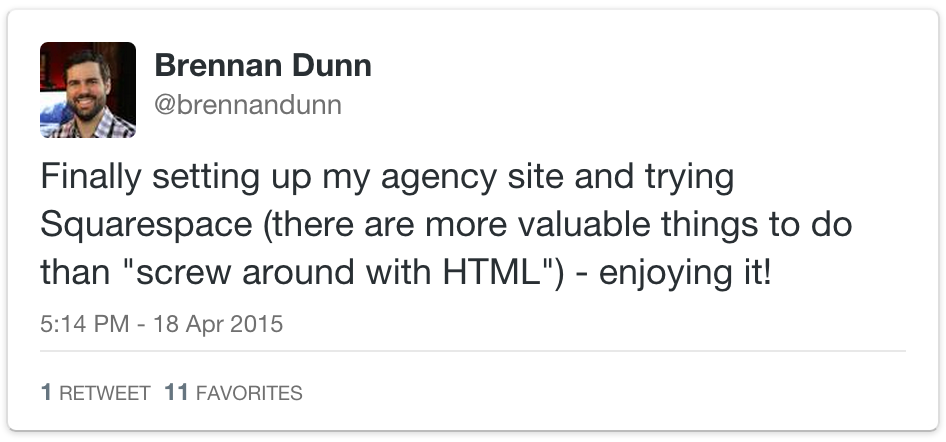
If you’d rather not use WordPress, consider trying Squarespace. It’s powerful, simple to use, and starts at $8 per month. For the speed of a flat-file CMS, and the power of the command-line, use Jekyll.
Another good free option? Tumblr! You can add a custom domain at no cost, there are many cool themes available, and it has a great blogging engine.
Thinking about hosting is one of the rabbit holes that developers fall into. Yes, you could probably do it yourself, cheaper and better. As a product creator, your most valuable asset is your time. If you can save time by hiring an existing tool, you should!
Site design
Marketing sites built by developers have a telltale design: they use the default Bootstrap theme. As a developer, fiddling around with a design isn’t the best use of your time. Here are some useful resources for site templates:
- HTML themes: Wrap Bootstrap, ThemeForest
- WordPress themes: Launch Effect, ThemeForest
- Other options: LeadPages, Unbounce, Squarespace, Levels Landing Page, Carrd
The goal here is to communicate who your product is for and how it solves their pain. Once you’re making sales, you can invest more money into your marketing site. In the meantime: keep it simple!
Analytics
Marketing is about testing, analyzing the data, and iterating. To do this well, you’re going to need metrics that tell you who is buying and why.
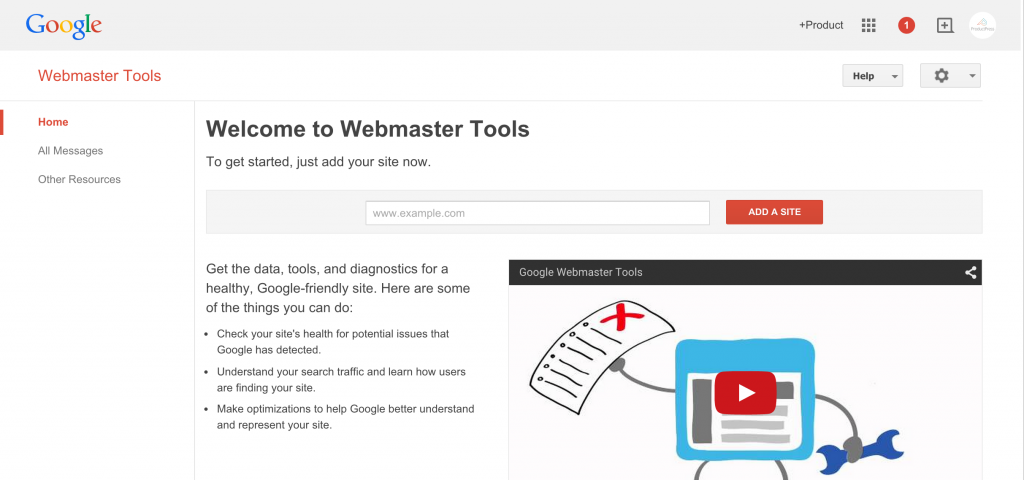
First step: set up Google Webmaster Tools
At one point, Google’s webmaster tools were only marginally helpful. Nowadays, it is the only place to see which search terms people are using to find your site. You should install this right away because the more data it collects, the sooner you’ll get valuable results.
Second step: install Segment
Every time I’m on a project and skip this step, I end up regretting it. Segment describes themselves as “a single hub to collect, translate and route your customer data.” It allows you to add new tracking snippets to your site without having to go in and change your code each time. It also stores your historical event data and automatically loads that data into the new tools you choose. Now, instead of interacting with multiple APIs, you only need to work with Segment’s.
Note: if you tried Segment in its early years and were disappointed I’d recommend trying them again. They’ve solved their data leakage and latency issues.
Their free tier for developers will give you up to 100,000 API calls a month, perfect for a new project.
For a detailed explanation on how to set up tracking events in Segment, go to the next chapter.
Third step: install Google Analytics and Mixpanel
Once Segment is recording events, you can configure other integrations. For analytics, Segment features over 38 tools. While you can explore these in the future, I’m going to recommend that you start with Google Analytics and Mixpanel. Both of them are free (Mixpanel has a free tier for developers) and both cover the essentials you’ll need for tracking goals, funnels, and cohorts.
Fourth step: A/B testing (optional)
If you already have a site that’s generating more than 5,000 unique visits per month, you may want to try some basic A/B tests.
“The single highest ROI tactic which I know of for software companies is conversion optimization. Unfortunately, the overwhelming majority of you aren’t doing it.”
- Patrick McKenzie
Traditionally, split testing tools have been costly. Optimizely used to have a free Starter plan that gave users basic functionality (and up to 50,000 visitors per month). At the time of writing, that tier had been replaced by a 30-day free trial. If you have the time, and interest, I think it’s worth signing up.
To install Optimizely, sign up for an account, and then put their tracking script just below the opening <head> tag of every page you want to track.
Your first test
You need to start somewhere! When your landing page is up, install the Optimizely script and create an initial experiment.
Make it simple! Start by testing one variation of your main headline and your main call-to-action.
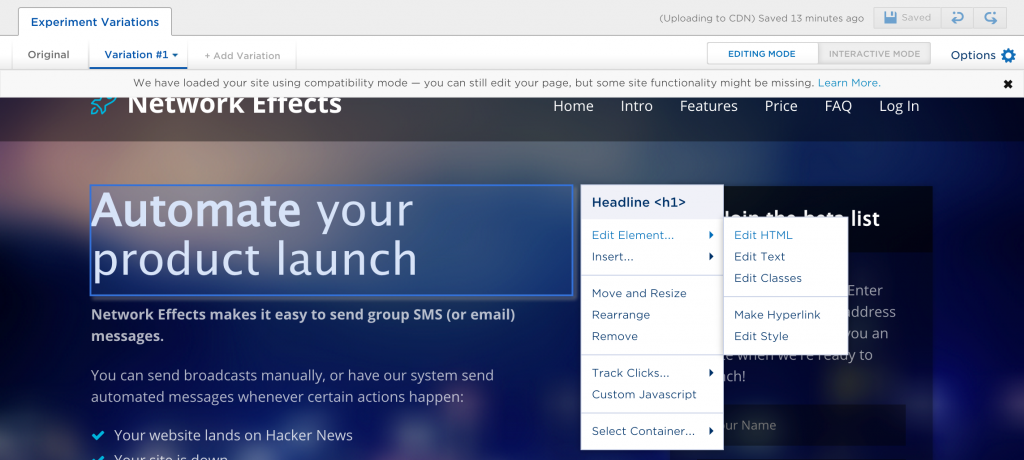
This will give you a baseline for future tests. There are two types of goals I track in A/B tests:
- Conversions: who went through the process of signing up for your mailing list or buying your product?
- Clicks: what did visitors click on while they were on your page?
Optimizely gives you a default goal called “Engagement.” I usually disable this goal, as it tries to measure general interaction on the page, which feels like a fuzzy metric.
Last step: mailing list
Nathan Barry once told me: “My email list is my most important asset.” Most people will visit your website and leave, but if you can get their email address, you’ll have additional opportunities to contact them.
We’ll talk about setting up email forms, squeeze pages, and drip sequences later on, but for now, let’s talk about choosing an email provider.
In this book, I’m recommending you use MailChimp. It’s free for up to 2,000 subscribers, has many built-in integrations, and features an easy-to-use automation tool. A strong runner-up is ConvertKit.
Those are the basics
If you’re about to launch your product, I recommend reading the following chapters. Here, I’ll explain how to set up more detailed tracking events in Segment, Google Webmaster Tools, Google Analytics and Mixpanel.
Buy the EPUB & PDF to read offline and support the work.
Buy the book — $10